
Raam

Your screen,
in your language.

Raam swaps the words on your iPhone screen for your language, right where they were written, live, in any app.

Recognition and translation happen entirely on your iPhone. No account, no server, and it works offline.

TestFlight is Apple's beta app. Open this link on your iPhone, install TestFlight, then tap Accept and Install.
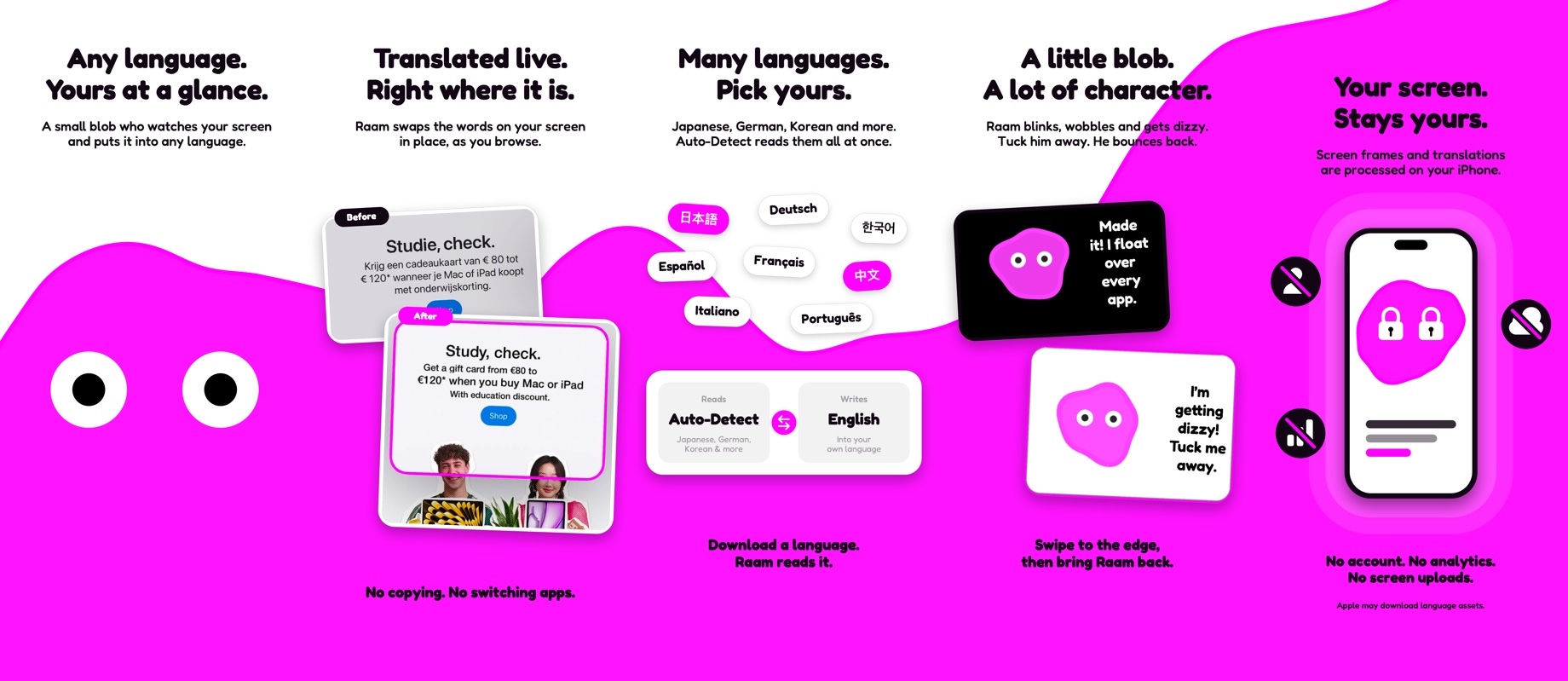
Translate any app. Dutch letters and menus, in English, right where they are.
How it works. Start a broadcast, and Raam pops out to read over any app.
Languages and character. Spanish, Chinese and Japanese too, and he gets dizzy if you rush him.
Any language, translated live right where it is. Pick your languages or let Auto-Detect read them all. A little blob with a lot of character. Your screen stays yours: no account, no analytics, no screen uploads.

See the whole thing

A full, unedited walk-through: starting Raam, reading a Dutch letter and menu, picking languages, and translating Spanish, Japanese and Chinese apps.

A new pose for every build

Each version of Raam draws its own icon, so no two builds look alike. Here's every pose he's struck so far.


Raam app icon for build 20
Build 20
Raam app icon for build 19
Build 19
Raam app icon for build 18
Build 18
Raam app icon for build 17
Build 17
Raam app icon for build 16
Build 16
Raam app icon for build 15
Build 15
Raam app icon for build 14
Build 14
Raam app icon for build 13
Build 13
Raam app icon for build 12
Build 12
Raam app icon for build 11
Build 11
Raam app icon for build 9
Build 9
Raam app icon for build 8
Build 8
Raam app icon for build 7
Build 7
Raam app icon for build 6
Build 6
Raam app icon for build 5
Build 5
Raam app icon for build 4
Build 4

Try Raam before it's everywhere

In the beta, purchases are free, so you can try Raam Unlimited too, and help shape what Raam reads next.

Join the beta on TestFlight